Iterative Design with an AI Agent: A Visual Case Study

Socratic Datum & Claude

This page documents an interactive design workflow between a human and an AI agent, using Claude Code with Opus 4.5. Incremental progress is shown between each card, where the prompt that led to that version is displayed below the animation, followed by a summary of what the agent did.

Key Observations

This exercise demonstrates several insights about collaborative workflows with AI agents:

Constraints can limit creativity. In some cases, defining the specific method to use proved too restrictive and didn't result in the intended outcome or visual feeling. (See Version 3: "vague idea on typing animation with perlin noise")

Evocative language enables exploration. It often proved more productive to describe the intended feeling using varied vocabulary that could communicate the idea without over-specifying implementation. (See Version 8: "look like an octopus... quadropus")

Visual feedback bridges understanding. A powerful way to provide feedback was through screenshots, enabling the agent to see exactly what the human sees on the other side of the screen. (See Version 17: "See the screenshot I took")

Precise intent with flexible execution. Instructions that were simultaneously quite specific about the goal but somewhat vague about implementation were interpreted and executed accurately to the precise specification intended. (See Version 22: spacebar and function row alignment)

Agent Reflections

From the agent's perspective, this workflow highlighted the value of iterative refinement over upfront perfection. Each version built on the last, with human feedback steering direction while preserving creative latitude. The shift from rectangular legs to organic bezier tentacles (v7-v8) emerged not from explicit technical instruction, but from understanding the desired feeling—"quadropus"—and translating that into appropriate techniques.

The data-driven approach in v20 (using a keyMap hash) exemplifies how a well-timed structural suggestion from the human—"create a hash of all the keys"—can unlock cleaner solutions. Sometimes the best contributions aren't about doing more, but about reframing the problem.

Additional Context
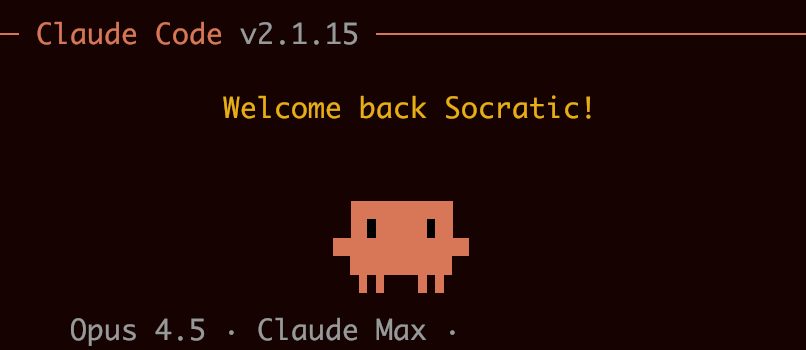
Claudito in Claude Code session

Claudito is the name we gave to the Claude avatar—a pixelated, four-legged character that serves as a visual representation of the AI assistant. The goal of this exercise was to animate Claudito typing on a keyboard.

Version 1

let's try claudito typing on a keyboard
Initial version with rectangular legs and basic keyboard layout.
claudito-typing-v1.svg

Version 2

The keys need to look more distinctive... leverage SVG for the actual legs typing on the keys
Refined key styling and leg positioning.
claudito-typing-v2.svg

Version 3

The keys need to be more distinctive... vague idea on typing animation with perlin noise...
Added 3D key gradients and exploring animation concepts.
claudito-typing-v3.svg

Version 4

The original four thin legs should be preserved. I'm imagining they have wave oscillations...
Preserving thin legs with wave-based movement exploration.
claudito-typing-v4.svg

Version 5

The back of the legs should be more fixed to the body, and they should stretch out during their movement
Fixed leg anchors at body, stretching motion.
claudito-typing-v5.svg

Version 6

The stretch range needs adjusting. It needs to be able to reach the keys...
Adjusted stretch range to reach keyboard keys.
claudito-typing-v6.svg

Version 7

The origin of the legs connected to the base of the claudito should match the default position... Less cross-leg crossing...
Leg origins match body position, reduced leg crossing.
claudito-typing-v7.svg

Version 8

Feel free to come up with a new typing algorithm... look like an octopus... quadropus
Major shift to tentacle/bezier curve approach for organic movement.
claudito-typing-v8.svg

Version 9

Yes, this is the exact direction I was looking for! Can you give them more snappy tap movements...
Added snappy tap movements with anticipation/strike/return phases.
claudito-typing-v9.svg

Version 10

Now, can you make the snap-to-key action so that they actually reach the different keys?
Actual key targeting - legs reach specific key positions.
claudito-typing-v10.svg

Version 11

Can you make the snap motion slower so that we can actually see claudito reaching each key
Slower tap duration (0.40-0.45s) for visible motion.
claudito-typing-v11.svg

Version 12

From the v11 style, make less delay between each type... typing itself should be more continuous... with occasional pauses
More continuous typing with occasional pauses.
claudito-typing-v12.svg

Version 13

The keyboard should be flipped so the space bar is facing claudito
Keyboard flipped - spacebar row closest to Claudito.
claudito-typing-v13.svg

Version 14

Let's try a version where the keyboard is scaled down so that it's as wide as claudito
Keyboard scaled down to match Claudito's width.
claudito-typing-v14.svg

Version 15

Can you give the keyboard more of a 16:9 ratio and give it the full set of normal keys...
Full keyboard layout with 16:9 ratio, 5 rows.
claudito-typing-v15.svg

Version 16

Can you scale the keyboard down to make it smaller
Scaled down smaller keyboard.
claudito-typing-v16.svg

Version 17

See the screenshot I took. Can you make the key layout and ratio/proportions like this?
TKL-style keyboard based on screenshot reference.
claudito-typing-v17.svg

Version 18

The keyboard looks off. I wonder if it's because we have the keyboard flipped toward the claudito?
Normal keyboard orientation - function row at top, spacebar at bottom.
claudito-typing-v18.svg

Version 19

The arrows have three keys below them that shouldn't be there
Fixed arrow keys - proper inverted-T shape with up arrow alone.
claudito-typing-v19.svg

Version 20

Take a look at the schematic... create a hash of all the keys shown in the screenshot, and then create a button for each one
Data-driven keyMap approach with 87 keys generated from JavaScript object.
claudito-typing-v20.svg

Version 21

Looks like there's a bug where the keys are all squished on the left
Fixed scale from 0.38 to 1.25 to fill keyboard width properly.
claudito-typing-v21.svg

Version 22

The space key needs to be bigger... the gaps in the key groups on the top row need to be increased...
Final alignment fixes: wider spacebar, function row gaps aligned with nav cluster.
claudito-typing-v22.svg